


LinkedIn Job Search
Job hunting is a job. It involves finding job openings making applications fit each job keeping track of submissions and checking in. This can happen on different websites.
A Fiverr service called “I will. Apply 600 jobs for you very professionally” by Halder offers to do all the hard work for you. For a set price Halder searches for jobs on job boards and company websites. They then apply for jobs for you. Tell you what they have done.
Halder has a score of 5.0 from 174 reviews. They have also been helping people find jobs in countries for 10 years. This makes them one of the trusted services on Fiverr that apply for jobs for you.
Let’s look at what Halders’ service includes, the cost, and what clients say about the results.
Table of Contents
Seller Overview
The seller, Sumes Robin Halder, presents himself less as a generalist freelancer and more as a job-search specialist—resume/CV writing, cover letters, LinkedIn optimization, and hands-on job applications are all part of the same offering.
| Gig rating | 5.0★ (174 reviews) |
| Orders completed | 382 |
| Level | Level 2 Seller |
| Badge | Highly Responsive |
| Based in | Bangladesh |
| Languages | Bengali, English, Hindi, Spanish, German |
| Stated experience | 10+ years in international job markets |
| Industries covered | Financial Services & Banking, Medical & Nursing, General |
| Markets served | USA, Europe, Canada, Australia, Middle East |
| Past client levels cited | Junior to Director-level roles at companies including Google, Apple, Samsung, Sony, Nike, and Tesla |
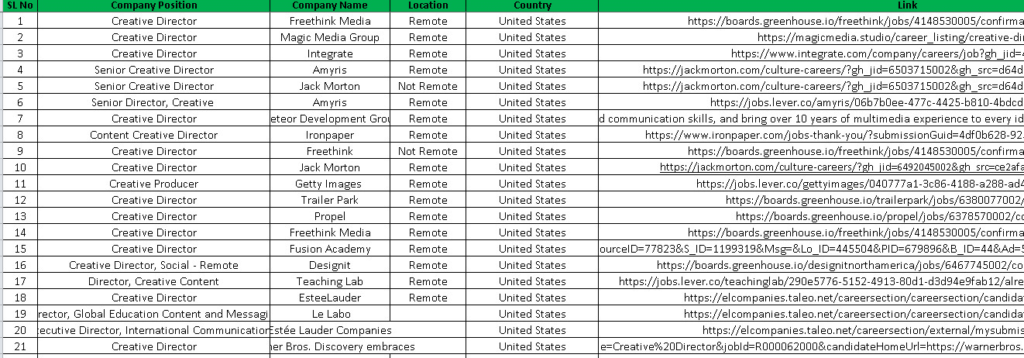
Halder’s profile emphasizes process transparency: applications are tracked in a Google/Excel work report, and clients are notified by email each time an application is submitted—a detail aimed at reassuring buyers who are handing off something as high-stakes as their job search.
Service Details
This gig bundles three distinct services that are often sold separately elsewhere:
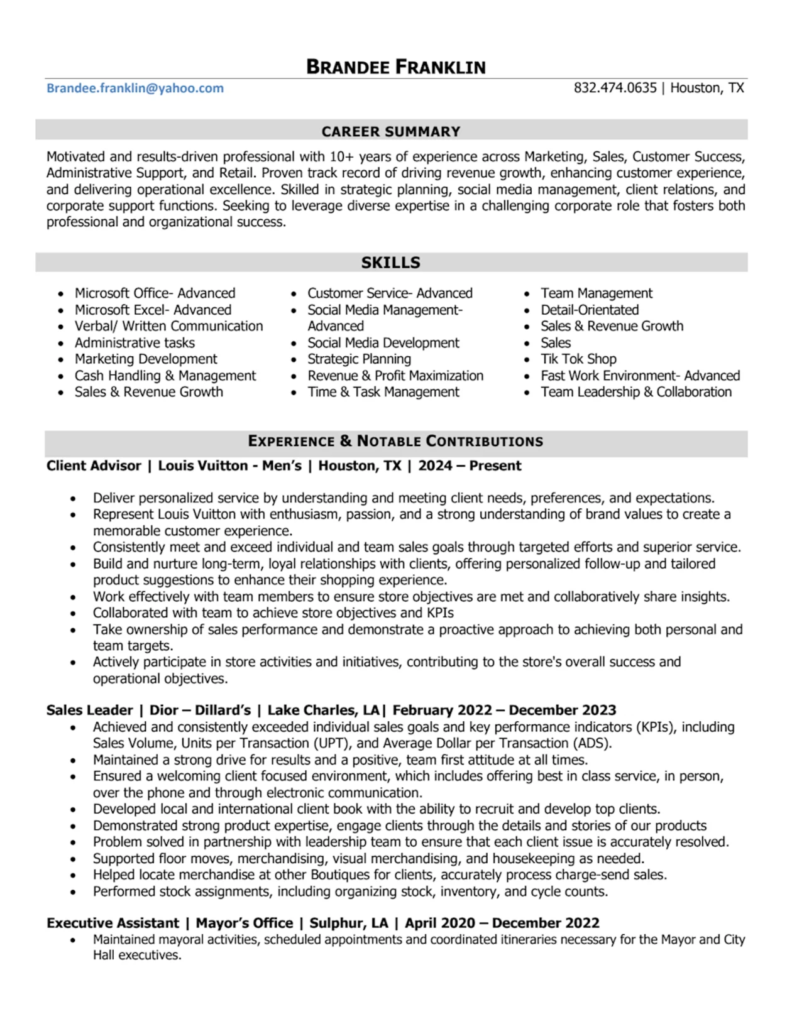
- Resume/CV (ATS-optimized) creation or update, paired with a cover letter
- Job search and application submission across company websites, Indeed, LinkedIn, and similar platforms
- Work reporting, delivered via Google Sheets or Excel, detailing exactly what was applied to
Every tier includes unlimited revisions, LinkedIn profile optimization, and a cover letter — the packages differ mainly in application volume and delivery time, not in the core service.
Source: Fiverr
Source: Fiverr
How It Works
- Choose your package based on how many job applications you need submitted.
- Provide your resume/CV (or have Halder build one from scratch) along with your target roles, industries, and locations.
- Application phase begins — Halder searches relevant job boards and company sites and submits applications on your behalf.
- Get notified per application — buyers receive an email each time a job application is submitted.
- Receive a full work report in Google Sheets or Excel listing every job applied to.
- Use unlimited revisions to refine your resume, cover letter, or targeting criteria as needed.
Pricing & Packages
| Package | Price | Applications | Delivery | Includes |
|---|---|---|---|---|
| Basic | $65 | 100 jobs | 14 days | Resume review + cover letter |
| Standard | $250 | 400 jobs | 30 days | Customized resume + cover letter |
| Premium | $400 | 600 jobs | 30 days | Special service, unlimited revisions |
All three tiers include an editable file, review & critique, edit & rewrite, custom design, LinkedIn profile optimization, and a cover letter. An hourly rate ($12/hour) is also available for buyers who want ongoing, flexible-schedule support rather than a fixed application count.
Where the value sits: at roughly $0.65 per application, Basic is priced for buyers testing the waters with a smaller, targeted search. Standard and Premium scale the volume dramatically (4x and 6x the applications) for a price increase that’s proportionally steep—meaning the real decision point is whether you need broad-volume coverage or a smaller, more targeted batch of applications.
Key Benefits
- We have a gig rating of 5.0 stars from 174 reviews. Most reviewers loved our service, with one review being below 4 stars.
- We keep you updated on what we’re doing. Every application is logged and reported so you know exactly what was done.
- Our seller supports clients in five languages. This way people who don’t speak English can still work with us easily.
- We have experience working with clients across the US, Europe, Canada, Australia, and the Middle East.
- When you buy our service, you get a resume and a cover letter. You don’t need to hire another person to write your resume before you start looking for a job.
- We offer revisions on every tier. This means you can keep working with us until your resume and cover letter are just right, reducing the risk of a mismatch that could ruin your job search.
Pros & Cons
Pros
- Outstanding review consistency (163 of 174 reviews are 5-star)
- Transparent, itemized reporting on every application submitted
- Reviewers specifically note applications exceeding the promised count
- Fast, responsive communication cited across multiple reviews
- Covers the full pipeline: resume, cover letter, LinkedIn, and applications
Cons
- Premium pricing at scale—$400 for 600 applications is a meaningful investment
- Delivery windows are long (up to 30 days for Standard/Premium), so this isn’t a fast fix for urgent job searches
- A job application service can’t guarantee interviews or offers—results depend heavily on the buyer’s own qualifications and the job market
- Only one review includes an attached file/screenshot, so visual proof of work is limited within the review section
Who Is This Service Best For?
A strong fit if you’re
- Actively job hunting but short on time to search and apply across multiple platforms
- Someone who wants a single service to handle resume, cover letter, and application submission together
- Targeting roles in the US, Europe, Canada, Australia, or the Middle East
- Comfortable with a multi-week timeline rather than needing same-week results
Probably not the right fit if you’re:
- Needing interviews or an offer guaranteed—this is an application-volume service, not a placement service
- Looking for a highly specialized, boutique application strategy for a narrow set of niche roles
- On a tight budget and only need a handful of applications submitted (the per-application cost drops significantly at higher tiers, so Basic may not be the most efficient use of funds for very small needs)
Overall Experience
The way things work seems to be made to make buyers feel better at each step. They get email updates for each application. They can see what is going on in a Google Sheets or Excel report. This means that clients do not have to worry about whether any work’s actually being done. The reviews say the thing over and over: many buyers said that Halder is good at getting back to them; they tell them what is going on, and they are willing to make changes in the middle of the project instead of just disappearing after they get the order.
One thing that keeps coming up is that Halder does more than they say they will. Some reviewers said that Halder sent in more applications than they were supposed to. This shows that Halder cares about getting results and not just doing the minimum. They also get the work done on time. Most reviewers said it took 12 days to 3 weeks to get everything done, which is what Halder said it would take. They usually get it done on time or a little early. Halder does what they say they will do with the application count and the delivery time. Halder is a seller who does a job with the application process and the delivery time.
| Experience Category | Score |
| Seller Communication Level | ⭐ 5.0 / 5 |
| Quality of Delivery | ⭐ 5.0 / 5 |
| Value for Money | ⭐ 5.0 / 5 |
| Overall Satisfaction | ⭐ 5.0 / 5 |
Customer Feedback
The gig has a 5.0-star average from 174 reviews. It scored 5.0 for communication and 4.9 for quality and delivery value. The review distribution is almost perfect: 163 five-star reviews, 10 four-star reviews, and one review with a lower rating.
Here are some common themes in the feedback:
- Many buyers got results sooner than they expected. One buyer said Halder submitted more applications than needed, and they started getting interview requests soon after the work began. They had used a service before, but it did not work out.
- Halder is responsive. Follows through on his work. One reviewer said he was quick to reply and offered advice. He also reformatted their resume to make it stronger while following their requirements.
- Buyers appreciate Halders’ reliability and flexibility. One reviewer said he delivered the work on time and was willing to make changes throughout the project.
- Some reviewers have used Halders’ services before. Came back for more. They say he is consistently responsive and does more than expected.
FAQs
How does the process work?
Halder has a process. It starts from when you order until your application is submitted and you get a report. You should check the gig page for details on how it works before you order.
What if I need fewer applications than what is listed?
The gigs FAQ says you can ask for a number of applications. You should ask the seller if you need fewer applications.
Does Halder apply manually? Use bots?
The gig’s FAQ has an answer to this. It is a question from buyers who want to know if the applications are of good quality and safe. You should check what the seller says before you order.
Can you apply for jobs specifically?
Yes, you can. Remote job applications are mentioned in the gig’s FAQ. The gig is also tagged as “jobs.”
Will my resume be customized for each job?
The gigs FAQ answers this. If you get a package, your resume will be customized more. The Basic package includes a review of your resume but not full customization.
Which countries does Halder support?
The gigs’ FAQ lists the countries that Halder supports. The profile says Halder has experience in the USA, Europe, Canada, Australia, and the Middle East.
Is there an option if I don’t need 100+ applications?
You can hire Halder by the hour for $12. This is good if you want a number of applications. You do not have to commit to a package.
Final Verdict
| Overall Rating | ⭐⭐⭐⭐⭐ 9.7/10—Highly Recommended |
Halder’s gig delivers on a genuinely useful premise: outsourcing the repetitive, time-consuming parts of a job search while keeping the buyer informed every step of the way. The near-perfect review record, transparent reporting system, and reviewer accounts of Halder exceeding the promised application volume all point to a seller who treats the transactional side of Fiverr with real accountability. The main trade-offs are price at scale and a multi-week delivery window; neither is surprising for a service built around active outreach.
Bottom line: if you’re serious about a job search and would rather have a professional handle the sourcing-and-applying grind than do it yourself, this is a well-reviewed, transparent way to buy back your time.